LinkedIn Headshot Generator
Professional LinkedIn headshots without studio costs—get polished portraits in seconds
Create LinkedIn headshots that look professionally photographed. This free AI headshot generator for LinkedIn produces studio-quality portraits in corporate, creative, and business casual styles—ready for your profile in seconds.
Professional Headshot Styles

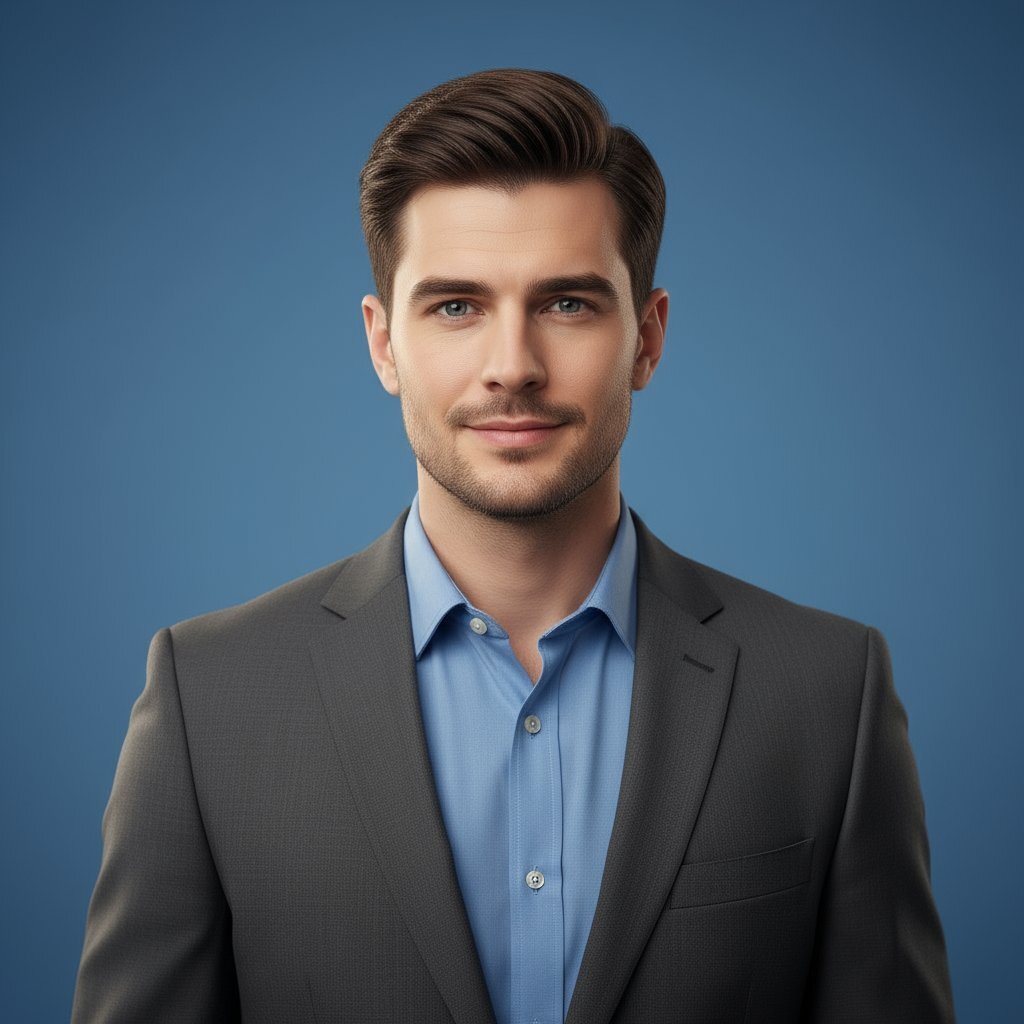

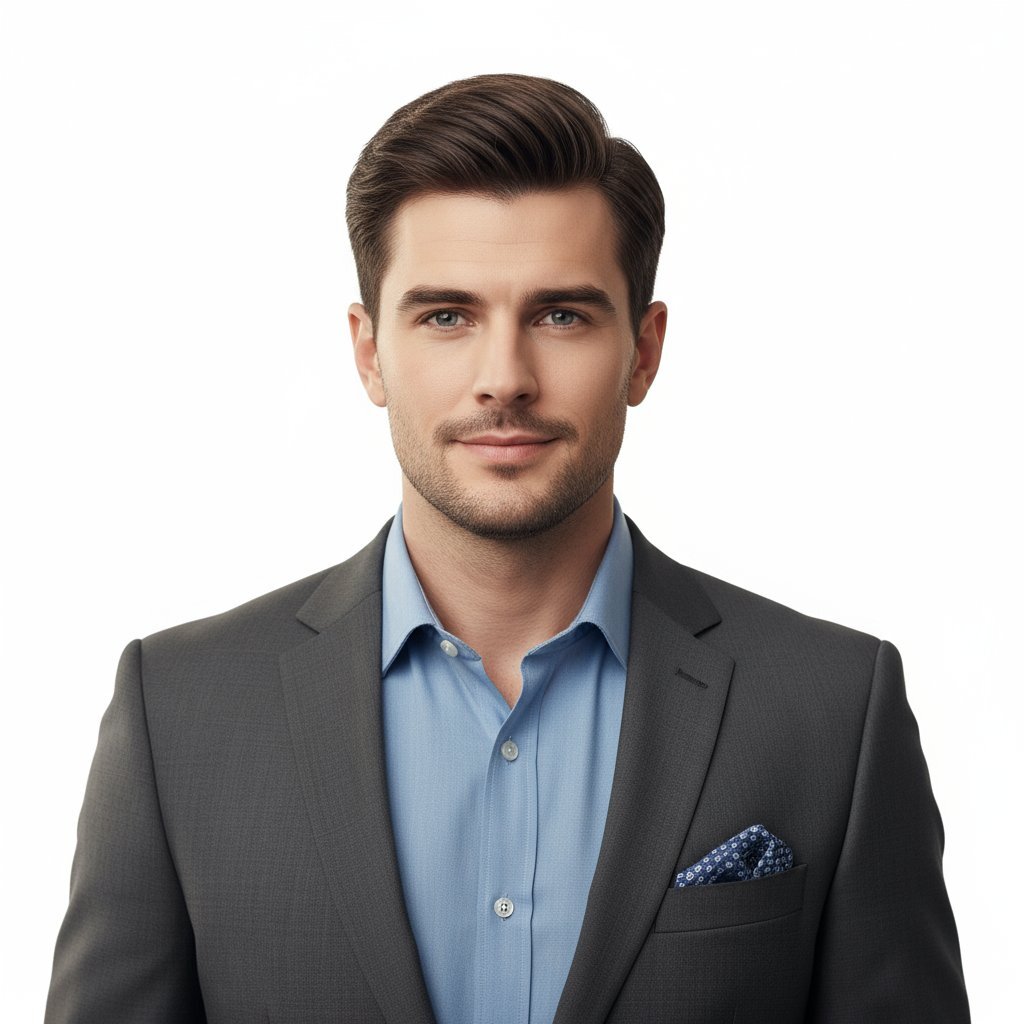
LinkedIn AI Headshot Generator - Studio Quality, Zero Studio Time
Professional headshots for LinkedIn profiles, team directories, and corporate branding
Professional Studio Lighting
AI replicates professional photography lighting—soft key lights, natural fill, and catchlights. Transform casual photos into polished headshots for LinkedIn that look professionally shot.
Uniform Corporate Headshots
Need consistent headshots for LinkedIn across your team? Generate uniform backgrounds, lighting, and crops for 10, 50, or 100+ employees—no coordinating photoshoots.
Brand-Aligned Portraits
Lock your company's preferred background, clothing formality, and lighting style. Every LinkedIn headshot automatically matches your corporate visual identity.
LinkedIn Profile Ready
Headshots optimized for LinkedIn's profile dimensions. Professional enough for executives, approachable for sales—perfect for any role or industry.
Generate Headshots Instantly
HR can onboard new hires with professional LinkedIn headshots in under 60 seconds. No waiting weeks for photographer availability or studio sessions.
Multiple Professional Styles
Corporate formal for finance and legal, business casual for tech and startups, or creative for agencies. Choose the style that fits your industry and role.
How to Take a LinkedIn Headshot Using AI
From casual photo to professional LinkedIn headshot in 3 simple steps
Upload Your Photo
Use any clear photo—selfie, vacation snap, or existing headshot. This LinkedIn AI headshot tool works best with well-lit photos where your face is visible. No need to worry about what to wear for LinkedIn headshot; AI handles backgrounds and styling.
Select LinkedIn Headshot Style
Choose Corporate for formal LinkedIn headshots (suits, neutral backgrounds), Creative for modern tech profiles, or Business Casual for approachable professional looks. AI applies studio lighting automatically.
Download & Update Profile
Get your professional LinkedIn headshot instantly—optimized dimensions, high resolution, ready to upload. Perfect for LinkedIn profiles, company directories, and email signatures. Completely free, no watermarks.
Built for HR, Teams & Individual Professionals
From Fortune 500 directories to freelance LinkedIn profiles
C-Suite Executives
Tech & SaaS Teams
Consultants & Advisors
Creative Agencies
Healthcare Providers
Educators & Coaches
Legal & Finance
Sales & Marketing
AI Headshot Generator - Frequently Asked Questions
Upload any clear photo to this LinkedIn headshot generator. Choose your professional style—Corporate for formal business looks, Creative for modern tech roles, or Business Casual for approachable profiles. AI applies studio lighting and creates a professional headshot for LinkedIn in under 60 seconds. No photographer or studio session needed.
The best LinkedIn AI headshot generators offer studio-quality lighting, professional backgrounds, and optimized dimensions for LinkedIn profiles. Look for tools that create consistent headshots for LinkedIn teams, offer multiple style options, and provide high-resolution downloads without watermarks—perfect for both individual professionals and HR teams.
Yes! LinkedIn headshots generated by AI match professional photography when done right. They include proper studio lighting, clean backgrounds, and professional composition. LinkedIn profiles with professional headshots get 14x more profile views—AI-generated LinkedIn headshots deliver the same credibility at zero cost.
Upload your photo and AI analyzes your face, applies professional studio lighting (key light, fill light, catchlights), removes distracting backgrounds, and generates a corporate-style portrait. The technology replicates what a professional photographer does—optimizing composition, lighting, and background—but in seconds instead of a 2-hour studio session.
Absolutely! LinkedIn headshot generators are perfect for company directories, team pages, and professional profiles. Create uniform headshots for LinkedIn across your entire organization—same lighting, background, and professional polish—without coordinating 50+ studio appointments. HR teams use AI to generate LinkedIn headshots for new hires instantly.
Wear what you'd wear to an important client meeting: business formal (suits) for corporate roles like finance and legal, business casual (dress shirt, blazer) for tech and consulting, or smart casual for creative agencies. Solid colors work best—avoid busy patterns. With this LinkedIn AI headshot tool, AI enhances backgrounds and lighting, so focus on clean, professional clothing.
Corporate headshots use formal attire, neutral gray/white backgrounds, and traditional lighting—best for finance, legal, consulting, and C-suite roles. Creative headshots allow softer backgrounds, business casual clothing, and modern lighting—ideal for tech, startups, marketing, and design roles. Match your industry's formality expectations.
Yes! Lock your preferred background color, lighting mood, and clothing formality. Every generated headshot will match your brand kit automatically—no need to brief 20 employees on dress code or coordinate matching backdrops.
Use a well-lit photo where your face is clearly visible and in focus. Selfies, vacation photos, or existing headshots all work. Avoid sunglasses, hats, or heavy shadows. Natural lighting (near a window) produces better results than harsh overhead lights.
Under 60 seconds per employee. Upload each team member's photo, select your company's style preset, and generate. For a 50-person team, you can have uniform, professional headshots ready in under an hour—versus weeks of scheduling individual studio sessions.